Product Updates
Custom Audience Dashboard for First-Party Data

Michael Lieberman
Vice President of Innovation
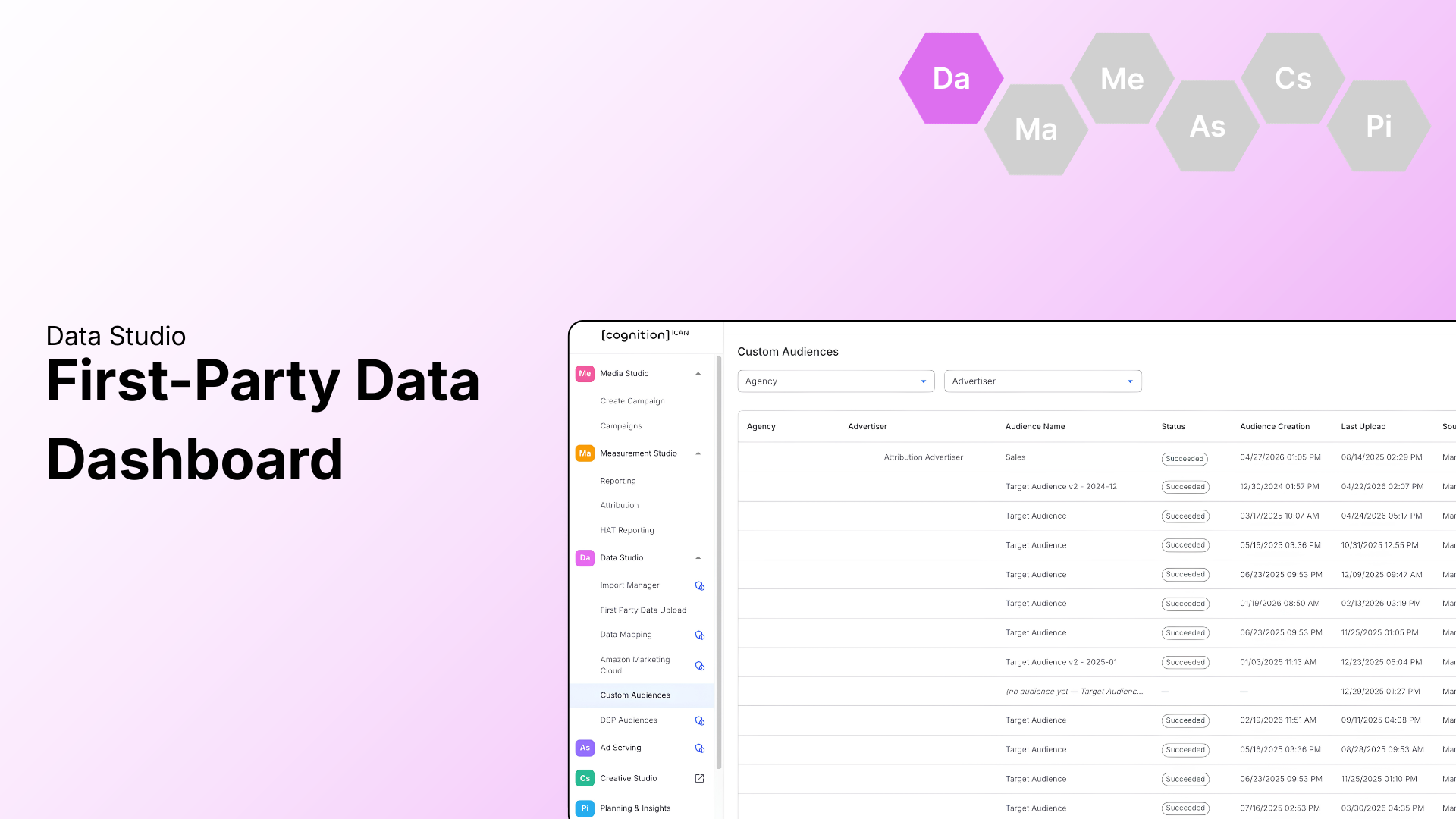

A new update rolling out across the [cognition] platform. This update brings greater transparency to first-party data audiences with a new Custom Audience Dashboard in Data Studio.
New: Custom Audience Dashboard for First-Party Data
Managing first-party data audiences just got a lot more transparent. A new dashboard under Data Studio > Custom Audiences bridges the gap between data upload and campaign execution by surfacing real-time visibility into match rates and audience sizes, letting you confirm audience viability before activation instead of waiting on back-and-forth status checks.
What You’ll See
- Audience Name, Status (Succeeded vs. Failed), and Source (Manual or FTP) columns to simplify data set management.
- Activity Dates that display both Last Activity Date and Last Upload Date to track data freshness.
- Audience Health that surfaces the Identified User Count relative to total records submitted, giving you an at-a-glance match rate.

How to Use It
- No setup required, the new dashboard is available under Data Studio > Custom Audiences.
- Review existing uploaded audiences to confirm health and identify any that may need to be re-uploaded.
Want to see how this update streamlines your day-to-day in the [cognition] platform?
Connect with Amber Daniel or Tim Daher here to learn more. Or schedule a demo today!