Product Updates
DV360 Campaign Visibility & Flight-Level Impression Goals

Michael Lieberman
Vice President of Innovation

New: DV360 Campaign Visibility
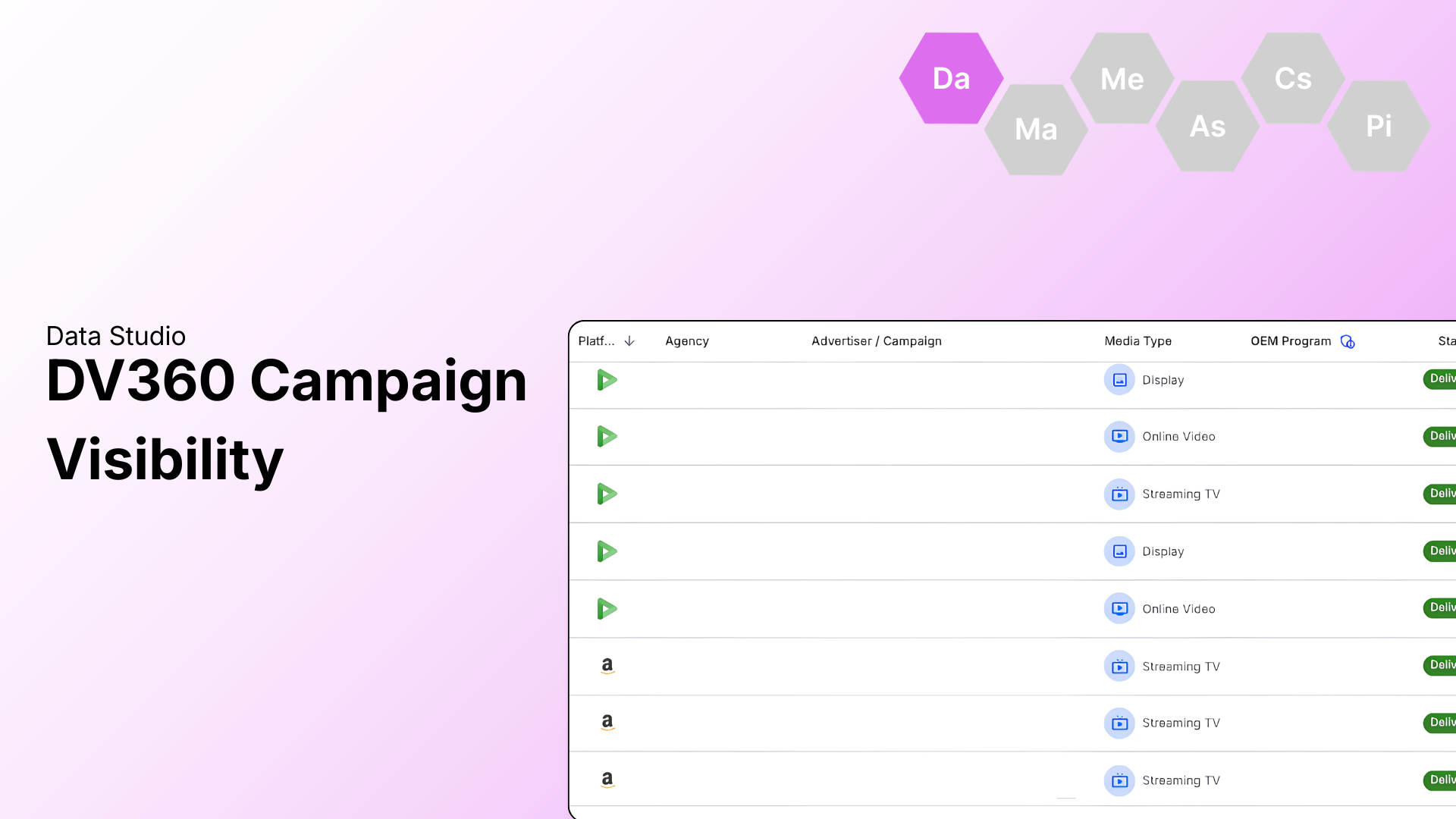
Managing cross-DSP campaigns is now easier. Track DV360 campaigns alongside Amazon DSP in a single dashboard, eliminating the need to jump between platforms to compare performance, budgets, and spend.
What You’ll See
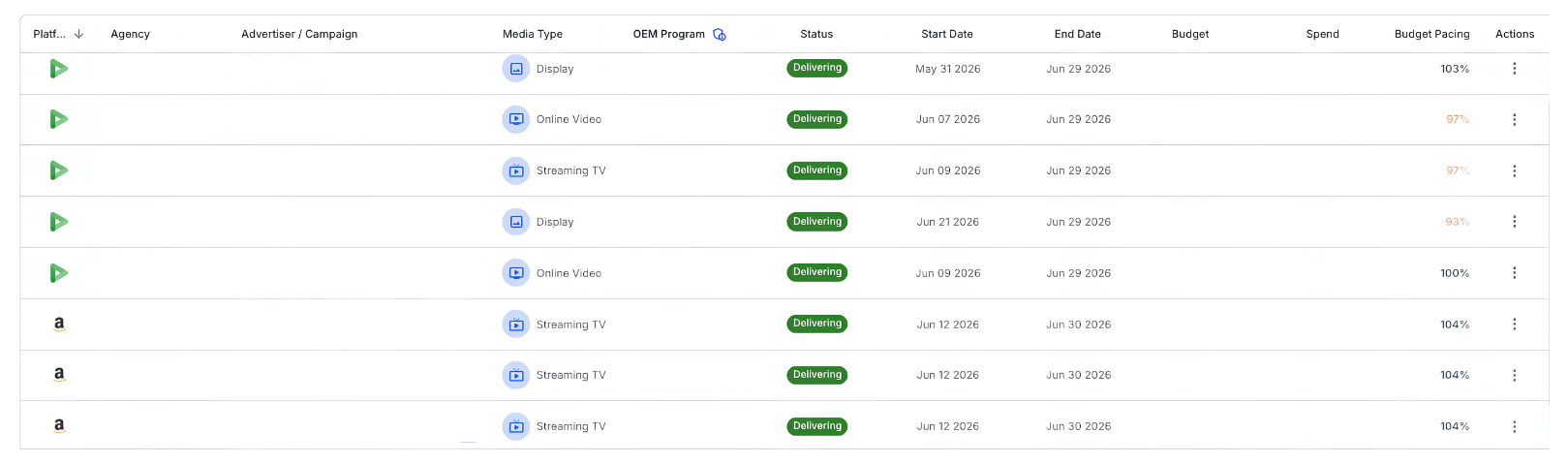
Unified Campaigns Table: Spot DSPs instantly with platform icons displaying DV360 and Amazon DSP campaigns together.
DV360 Campaign Details: Access platform-specific drill-down tabs including Campaign Info, Insertion Orders, and Ad Groups.
Fee-Inclusive Financials: Budgets and spend automatically sync from DV360.

How to Use It
Contact your Account Manager to enable DV360 integrations. Once active, campaigns will automatically appear in the Campaigns tab.
Use the Sort option to filter by platform.
Click “View Details” on any DV360 campaign to dive into settings, creatives, and fees.
Enhancement: Flight-Level Impression Goals in Media Studio
Media Studio now supports flight-level impression goals.
What You’ll See
Flight-Level Goals: Assign unique impression targets per flight during the Schedule & Budget step.
Automated Campaign Totals: The platform automatically sums your flight goals into a single campaign-level total.
Per-Flight Pacing: Track over- and under-delivery directly against individual flight goals.
How to Use It
Enter unique goals per flight row during the Schedule & Budget step. When modifying existing campaigns, updates to live or upcoming flights will not impact completed ones.
Monitor overall delivery on the Campaign Details screen and per-flight pacing on the Flights tab.
Enter either a budget or an impression goal when utilizing a fixed CPM, and the system will auto-calculate the remaining estimated value per flight.
Ready to see how these updates streamline your day-to-day? Connect with Amber Daniel or Adam Holt here to learn more.